
Each participant of an online training receives an automatic email with a training certificate.
Training certificates can also be found in the customer panel on the Sonel website.
- Go to Sonel website sonel.com
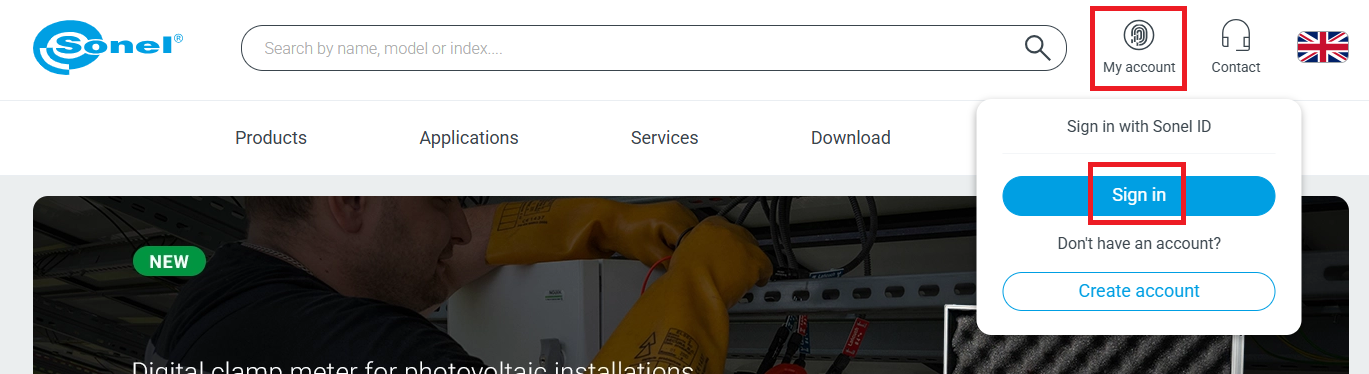
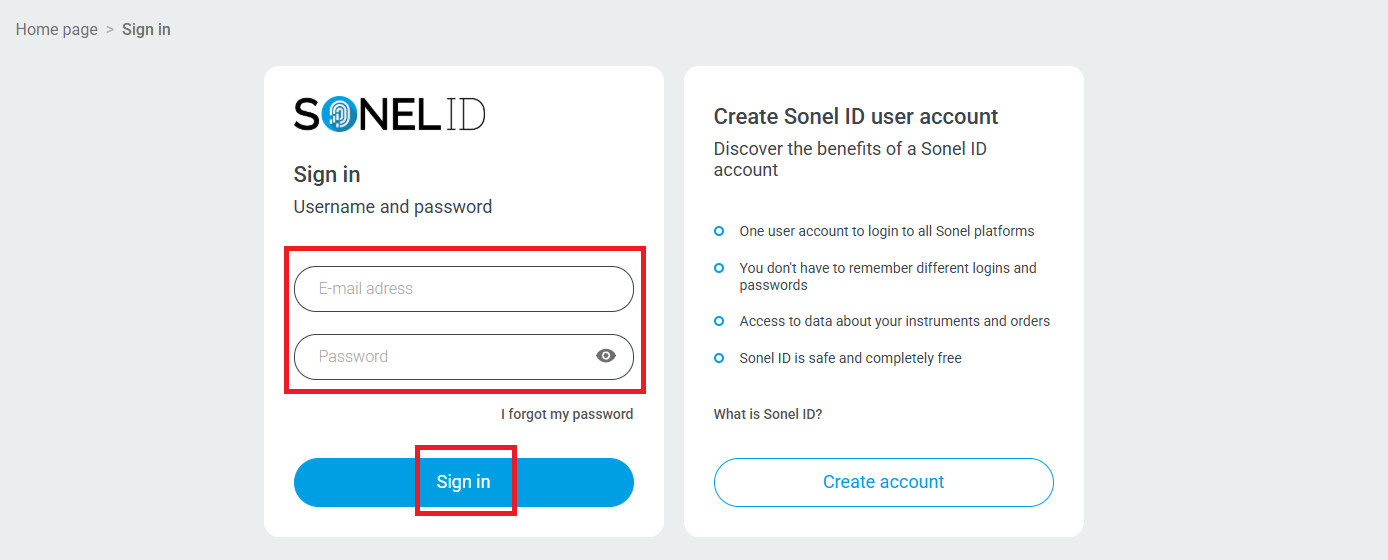
- Sign in to your account.
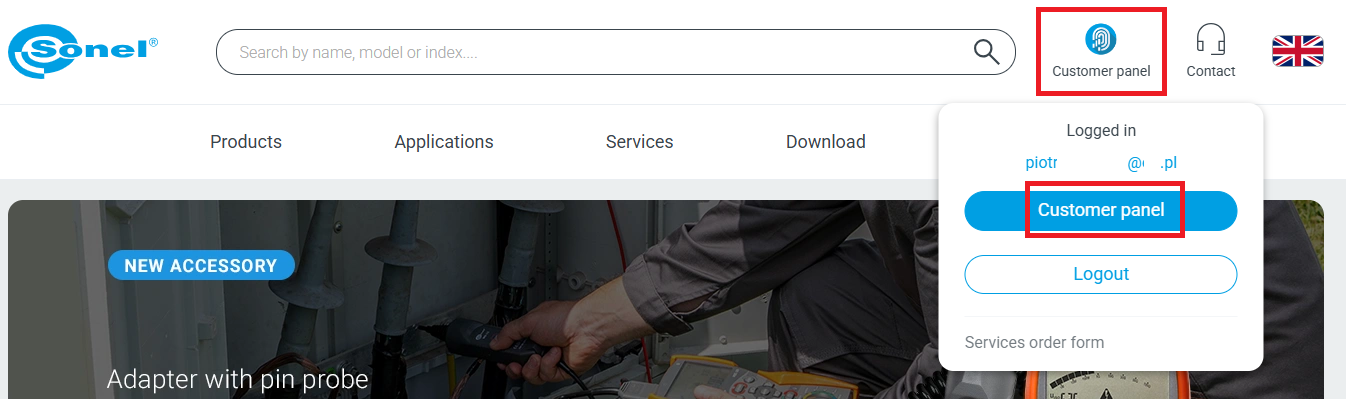
- Go to customer panel.
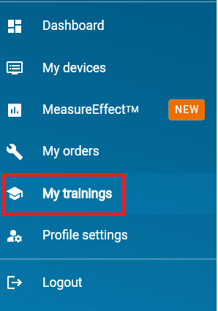
- On the Customer Panel go to My trainings (on the menu on the left).
- Select the desired training from the list of FINISHED trainings.
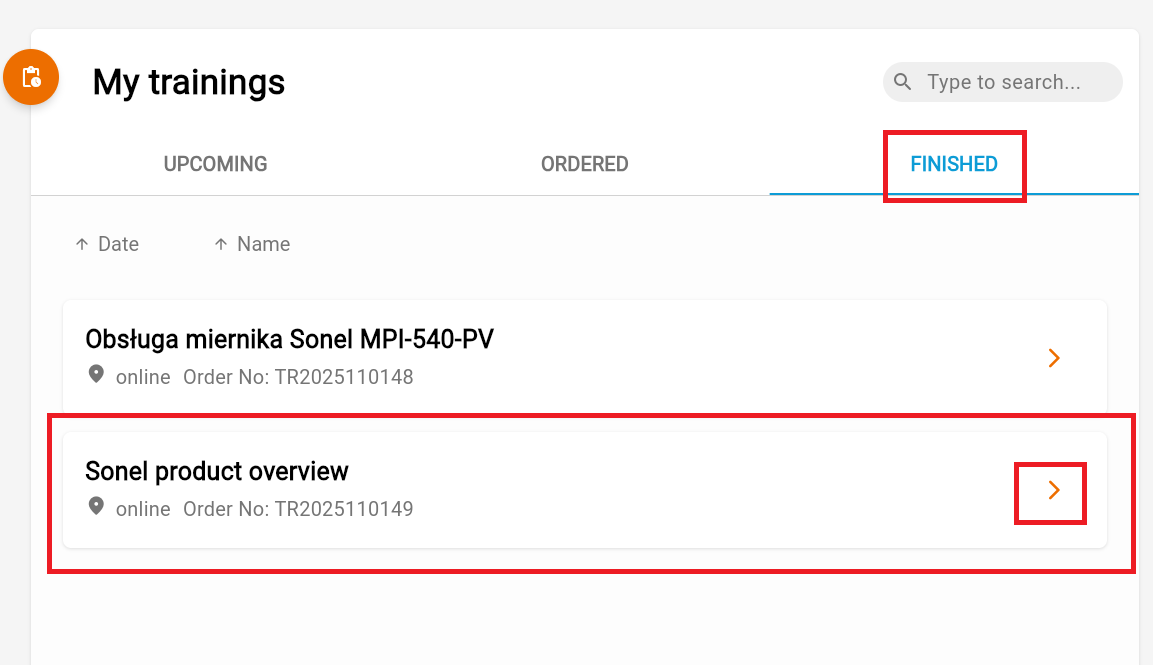
- A page with a training description will open. Select the "Participants" tab.
- A list of registered participants for the selected training will open. Click the "Download the certificate" button for the selected participants.
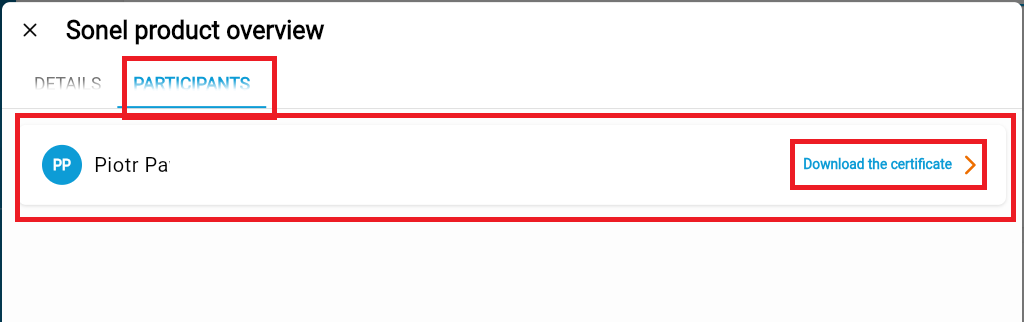
- The certificate will be downloaded to your computer.